
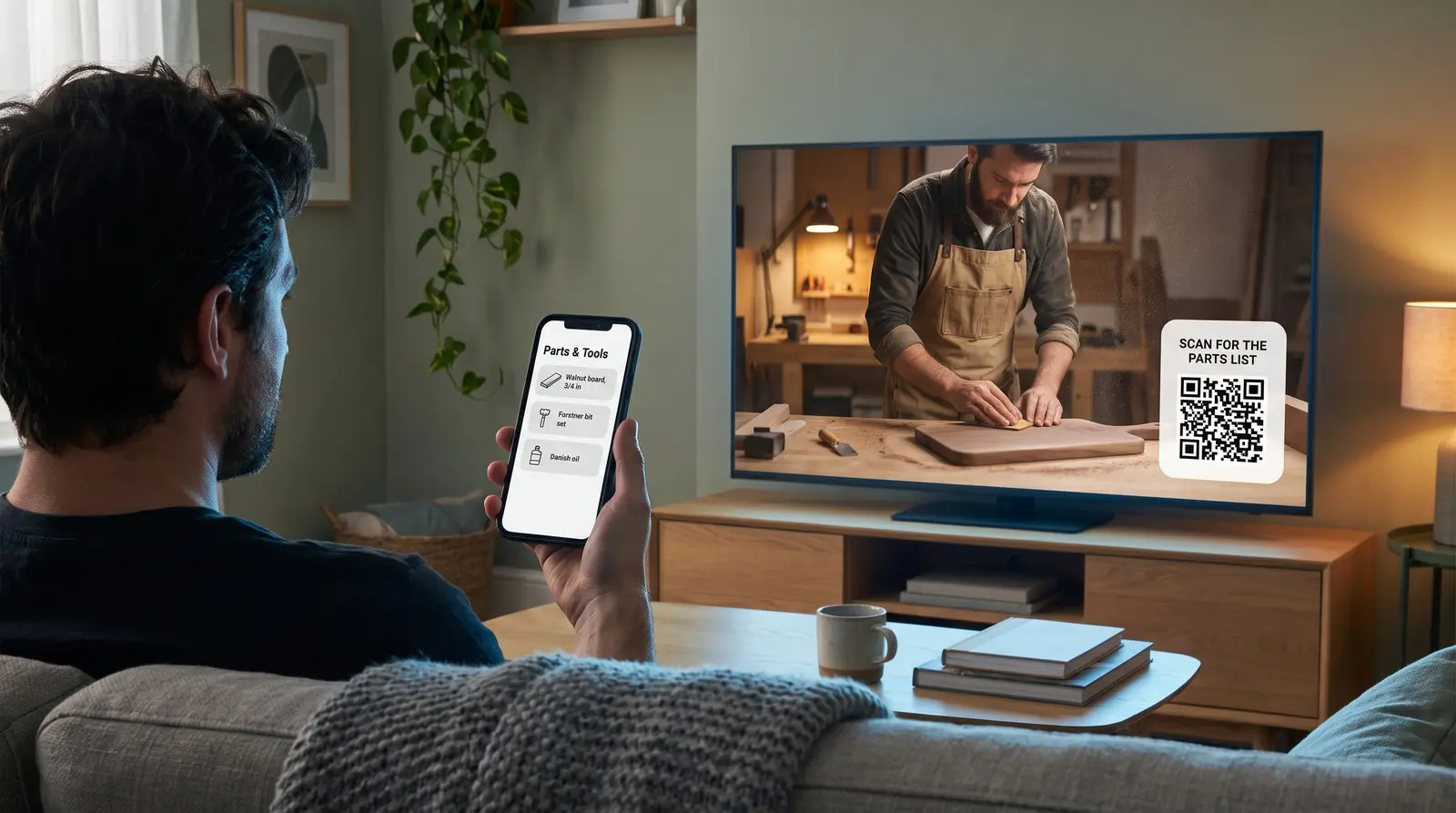
The video is permanent. The link in it should not have to be.
ON THIS PAGE
- Why do YouTube creators put QR codes in their videos?
- What makes a QR code in a video different from one on a poster?
- Does YouTube’s own QR code feature solve this?
- Why does the destination need to change later?
- Buy it once, because the video is going to outlive the subscription
- How do you make one that actually scans on a TV?
- Recommended setup
- Common questions
Your tutorial still gets views months after upload, but the parts list has moved to a new website. A dynamic QR code lets you update that address while keeping the original video, its URL and its comments. Viewers can scan the resource from the television onto their phone.
Why do YouTube creators put QR codes in their videos?
A viewer has your workshop tutorial playing on the television, with a phone beside them. When you show the parts list, an on-screen QR code lets them open it on that phone without typing the address.
You’ve done the work of choosing the parts. Giving viewers the list on their phones lets them take it to the workbench or the shop, without copying product names from the television.
YouTube reported in February 2025 that TV had become its primary device in the US by watch time. It also reported more than a billion hours of daily TV viewing globally. That makes a sofa-to-phone test relevant when planning your on-screen invitation.
YouTube has second-screen features, but an on-screen QR code gives you a direct route to your own resource. Keep a clickable link in the description for viewers who prefer that route.
Desktop viewers may prefer the description link or may scan to open the resource on a phone. Give them both options.
Creator George Blackman describes using an on-screen QR code in a demonstration of his own writing product. The viewer can move from watching the demonstration to opening the resource on a phone. The same approach can serve your own download, membership or community link.
What makes a QR code in a video different from one on a poster?
You can reprint a poster. You cannot re-render a video.
The destination address needs to remain useful after the footage is uploaded.
YouTube lets you make some edits to a published video, but you cannot replace its uploaded file. A replacement upload receives a new URL. So a QR code you rendered into the frames is in those frames permanently, at whatever URL it encoded on the day you exported.
It gets more locked as the video does better. YouTube’s own help page says that for unedited video with over 100,000 views, you may not be able to save changes at all except to blur faces, unless you are in the Partner Program. The more successful the video, the fewer edits it will accept.
And the escape hatch is worse than it sounds. You can always delete and re-upload, but a trim keeps the URL, the view count, and the comments, while a re-upload keeps none of them. You would be trading every view and every comment that video has ever earned for the ability to fix one link.
A dynamic destination lets you maintain the resource in the existing video.
Does YouTube’s own QR code feature solve this?
YouTube’s Shopping QR feature helps eligible creators send TV viewers to tagged products.
In October 2025 YouTube added in-video QR codes to its TV app so creators can tag products and viewers can scan through to a product page. It is a good feature and it is aimed squarely at YouTube Shopping, which is where it sits and what gates it.
That covers the merch and affiliate case. It does not cover your Discord invite, your newsletter signup, your Patreon, a sponsor’s landing page, your own site, or a link to the thing you spent the whole video talking about. For those destinations, check the features available to your channel or add your own QR code to the video.
If you are tagging products, use YouTube’s feature. It is built for it and it is free. This page is about the other links.
Why does the destination need to change later?
Your resource can move while the existing upload continues to attract viewers.
Think about what you would put behind a QR code in a video published today, and where those things will be in two years:
- A Discord invite. Check its expiry settings and keep the community invitation current.
- A newsletter. Creators move between platforms constantly. The signup URL changes with them.
- Your own resource. A worksheet or parts list moves to a new website. A QR code you control lets you update its address.
- A product page. Restocks, redesigns, new URLs, a whole new store.
- A links page. These get rebuilt more often than anything else on this list.
Older videos can keep attracting viewers after the original resource moves. Check the destinations in videos that still receive traffic.
A static QR code has the destination baked into the pattern, which means the URL you exported in 2026 is the URL it will still be sending people to in 2031. A dynamic QR code encodes a redirect instead, so the pattern in the frames never changes while the destination behind it can be updated any time. A static QR code can also remain useful if you maintain the same destination address. Dynamic adds the option to move that address and independent scan counts.
Buy it once, because the video is going to outlive the subscription
Compare the cost of keeping the destination editable over the years you expect the video to remain useful.
Some services charge a recurring fee to keep a dynamic QR code active; others preserve the redirect but restrict editing after a downgrade. For a video you expect to keep online, check both continued access and the ability to update its destination.
A Graklink dynamic QR code is a one-time purchase. There is no plan on the QR code to lapse. Destination editing, unlimited scans and basic counts are included.
For a channel, that maps onto the actual shape of the problem. The videos are permanent, your income is not necessarily steady, and the QR code needs to still work during the quiet year.
How do you make one that actually scans on a TV?
Design it for someone across the room, not for yourself at a monitor.
- Make it much bigger than feels right. Your viewer may be eight or ten feet from the screen. A QR code that looks generous in your editor looks tiny from a couch.
- Give viewers time to reach for their phones. Keep the QR code still while you explain what it opens. Test the uploaded video with someone who has not edited it, starting with their phone put down. They should be able to notice the invitation, pick up the phone, open the camera and scan before the QR code disappears. Show it earlier or leave it visible longer until that works. Our TV and streaming playback test walks through the check.
- Give it high contrast and real quiet space. Dark QR code on a light panel, with clear margin around it. Do not lay it over footage, a gradient, or anything busy.
- Respect compression. Video encoding softens fine detail, and QR codes are fine detail. Bigger and simpler survives the encoder. A short destination URL makes a less dense pattern, which compresses better.
- Say what it is. A QR code with no caption gets ignored. Tell people what they get: “Scan for the parts list,” not “scan me.” Our guide to what to write next to a QR code goes deeper on this.
- Test it the way a viewer will. Upload the video, play it on an actual television, and scan from the sofa with a normal phone. Do not test the source file on your desk. The uploaded, compressed, TV-rendered version is the one your audience gets.
Recommended setup
One dynamic QR code, pointed at a page you control, reused across your videos.
Most creators do not need a QR code per video. One QR code behind a simple links page is easier to manage and means every video you have ever published can be repointed at once by editing a single destination. If you want to know which video is driving scans, make one QR code per video instead and label it clearly in your dashboard.
Use a free static QR code for a permanent destination such as your channel URL when you do not need QR-specific counts. Choose a dynamic QR code when independent counts would help you understand use from the video now or when you want destination control for later. Completed sign-ups remain a separate outcome to measure.
Compare videos over similar periods and viewing conditions. The QR counts show scans from each video, while your signup, store or community service records what viewers did after opening the page.

Common questions
Why do YouTube creators put QR codes in their videos?
An on-screen QR code lets someone watching on a television open a resource on their phone. Keep a clickable link for viewers on a phone or computer too. YouTube reported in February 2025 that TV had become its primary viewing device in the US by watch time.
Can you change a QR code after the video is published?
YouTube does not let you replace an uploaded video file. If its QR code is dynamic, you can update the destination without changing that footage. With a static QR code, you can maintain the page at the encoded address if you control it.
Does YouTube have its own QR code feature?
Yes, and it is narrower than people assume. YouTube added in-video QR codes to the TV app in October 2025 for YouTube Shopping, so creators can tag products and viewers can scan through to a product page. It is built for commerce and it is gated behind Shopping eligibility. If you want to point at a Discord, a newsletter, a sponsor's landing page, a Patreon, or your own site, that is not what the feature does, and you need your own QR code.
How big should a QR code be in a video?
Make it large enough to scan from the seat where your viewer watches, with strong contrast and a clear border. Test the uploaded video on a television at normal playback speed. Start with the phone put down: the viewer needs time to notice the invitation, reach for the phone, open the camera and scan. Keep the QR code visible long enough to complete that sequence, with extra time for someone who notices later. A clickable description link gives viewers another way to open the resource.
What should a creator's QR code point to?
Your community invitation, newsletter signup, parts list, worksheet or another resource you control. Keep its destination useful for viewers arriving from older videos. A sponsor may supply its own QR code; focus your purchase on the calls to action you manage.
Do I need a subscription to keep a QR code in an old video working?
Not with Graklink. A purchased dynamic QR code never stops redirecting for a billing reason. That matters more here than almost anywhere else, because your back catalogue keeps earning views for years. A QR code in a video from three years ago is still being scanned, and it should not depend on whether you kept paying a monthly bill in the meantime.
Sources and verification dates
Source links, check dates and available archived copies are listed below.
- George Blackman’s creator account
Checked September 15, 2026.
Creator describes placing a QR code in a demo for his own product; no isolated conversion lift established.
Live source checked on the date shown; no archived copy recorded.
- DENSO WAVE: QR code margins
Checked September 15, 2026.
A clear margin four modules wide is required on each side.
Live page; no archived copy supplied.
- YouTube: 2025 viewing and product plans
Checked September 15, 2026.
Live page; no archived copy supplied.
- YouTube: replacing or deleting a video
Checked September 15, 2026.
Live page; no archived copy supplied.
- YouTube: features for creators on TV
Checked September 15, 2026.
Live page; no archived copy supplied.
- Graklink terms
Checked September 15, 2026.
Purchased products, subscription cancellation, trial conditions and service continuity.
Graklink’s published product information.
Make your QR code in a minute
$7.99 once. Unlimited scans. 30-day money-back guarantee.