
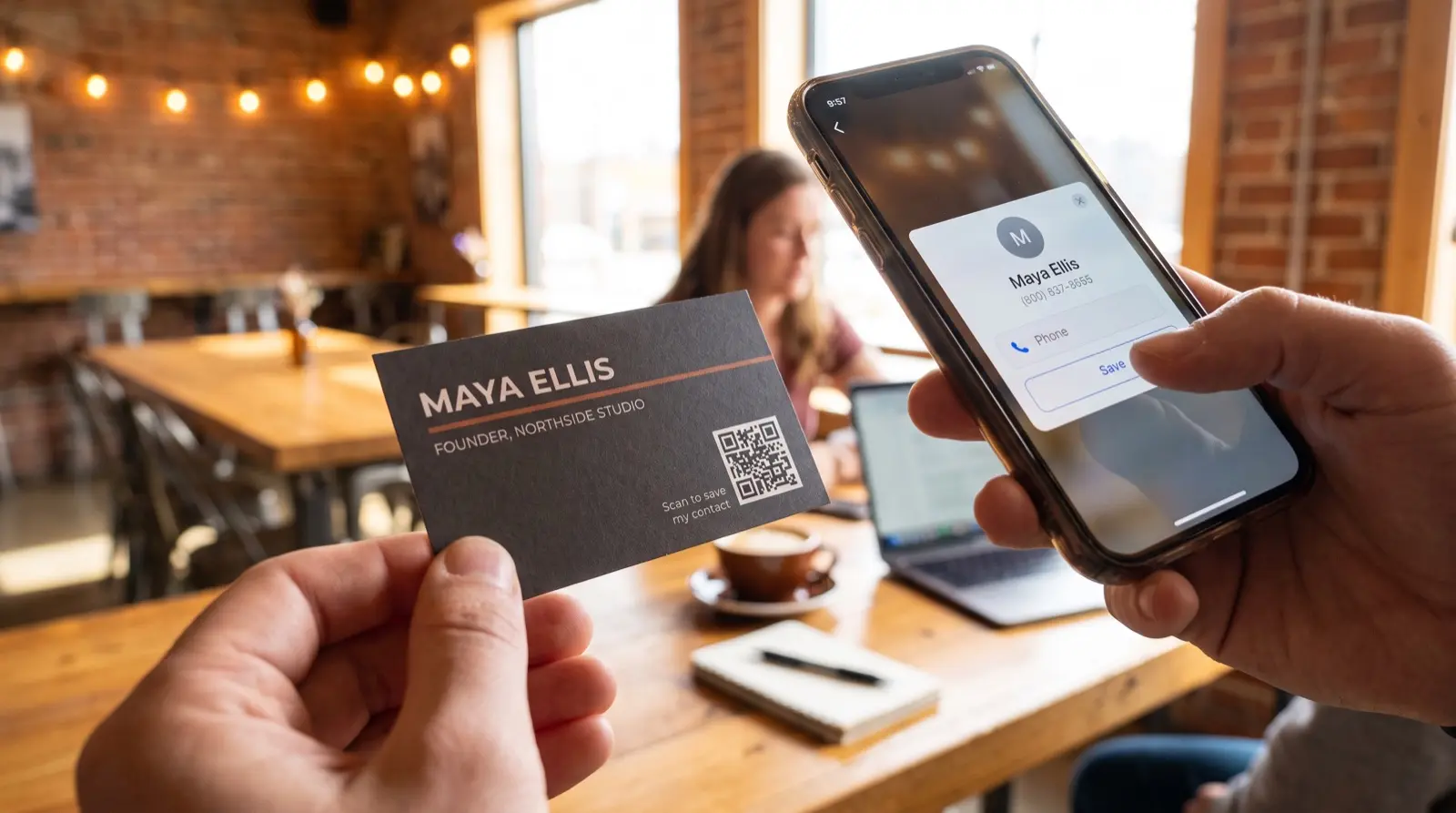
Keep the booking link on your business card up to date.
ON THIS PAGE
- What is the best QR code for a business card?
- Should a business-card QR code be static or dynamic?
- Where should a business-card QR code point?
- How should I set up a business-card QR code?
- Do you need a subscription to keep the QR code working?
- Make sure it scans before you print the whole box
- Common questions
You have 400 cards left in the drawer when your booking service changes. The name and logo are still right, but the QR code needs to open the new calendar. With a dynamic QR code, you update the destination and keep using the cards.
What is the best QR code for a business card?
A dynamic QR code suits a business card when you want control of its destination after printing. Print the card today, and if your number, title, company, or booking link changes next year, you update one link and every card you have already handed out keeps working. With a Graklink dynamic QR code, destination editing, unlimited scans and basic scan counts are included.
Should a business-card QR code be static or dynamic?
If your card opens a page on your own website, you can update the contact details there and keep using a free static QR code. That is a good fit when you only need the card to open a stable address and your existing website measurement is enough. A dynamic QR code adds its own scan counter and the ability to change the page address, such as when you move to a new booking service.
A static QR code bakes the destination straight into the pattern. It is free and it never expires, but it can never be edited, so changing the encoded address requires new artwork or control of the old address. Updating the contents of the same page does not. A dynamic QR code points at a short redirect you own, so you can send it anywhere and change where it goes from your phone, without touching a single printed card. If you want the difference in full, we lay it out in static vs dynamic QR codes and in what a dynamic QR code actually is.
| Static QR code | Dynamic QR code (Graklink) | |
|---|---|---|
| Change the destination after printing | No | Yes, anytime |
| Update details on the same destination page | Yes | Yes |
| Move to a new page address | Requires control of the old address or new artwork | Edit the saved destination |
| Expires or needs a subscription | No / No | No / No |
| Best for | A page address you can maintain | Flexibility to move between pages and services |
That extra control can be useful even while your current page works well. The remaining cards in the drawer can still be used after a website or booking-platform move.
If you use one QR code on cards handed out at a trade show and another on cards left at a local meeting, each included counter records activity for that batch. Compare the two labeled QR codes’ counts. They cannot tell you who saved the contact or booked a call, so use your contact and booking records for those outcomes. A static QR code can still use your website analytics or a tagged URL if you already have that measurement set up.
Where should a business-card QR code point?
Because the QR code is dynamic, one printed square can go almost anywhere, and you can move it later as your situation changes. The destinations that earn their place on a card:
- A contact download (vCard). Give the person you just met a contact card they can open and choose to save. You’ve spared them entering your name, number and email by hand, and made it easier to find you when they’re ready to call.
- Your personal site or portfolio. Send people to the work: your site, a design portfolio, a case-study page, a menu of services.
- A booking or calendar link. Point straight at Calendly, Cal.com, or your scheduling page so a card becomes a booked call.
- Your LinkedIn profile. A clean way to turn a handshake into a connection, and it stays current as your title updates.
One card can even point at a simple landing page that holds all of these at once. The print stays put; where it goes is yours to change whenever the job or the number does.
How should I set up a business-card QR code?
Start with the action you want after handing someone your card.
- One QR code, pointed at a contact download. For a solo card, a single dynamic QR code aimed at your vCard is the whole job: it saves your details cleanly and you can edit them forever.
- Add a custom design if you want your mark on it. Basic colors and styles are included. Keep it modest so the QR code still scans (more on that below).
- Give each person their own QR code. Each one points at that person’s contact card and counts its own scans.
Our take: for one person, a single QR code on your vCard is all you need. For a team, separate QR codes let each person count their own scans.
Do you need a subscription to keep the QR code working?
No subscription required. Paid QR services bundle different quantities and features, so compare the annual total with what you will use. With some, like QR Tiger, the QR code stops working the day the plan lapses. With others, like Bitly, the QR code keeps redirecting but you lose the ability to change where it points, which is the one thing a business card whose details change actually needs. Destination editing is useful if you later change the service that hosts your contact page.
| Option | What you pay | Ongoing? | QR code dies if you stop paying? |
|---|---|---|---|
| Graklink | One purchase | No required subscription | No billing expiry |
| QR Tiger | From $84 / year | Yes, forever | Yes |
| Bitly | From $120 / year | Yes, forever | No, but on Free you can no longer change where it points |
One purchase covers every copy of that QR code. You can print 50 cards now and another 500 later without buying it again.
Make sure it scans before you print the whole box
A card is small, and a QR code that has not been tested looks perfectly fine sitting on the desk right up until nobody can scan it. Before you send 500 cards to the printer, run down this list:
- Strong contrast. Dark QR code on a light background. If you brand it with color, keep the QR code much darker than whatever sits behind it.
- A clear quiet zone. Leave an empty margin on all four sides. Do not let text, a logo, or the card’s edge crowd it.
- Enough size. At least about 0.8 inch (2 cm) square. A card is tight on space, so give the QR code room rather than shrinking it to fit the layout.
- A small logo, if any. A modest mark in the center is fine. A large one eats the data the QR code needs to stay readable.
- Then scan it. On more than one phone, from the actual printed proof, before the full run goes to press.
The full breakdown of why QR codes fail, with pictures, is in our guide: why QR codes don’t scan. A card is the smallest thing most people ever print a QR code on, which makes it the easiest to shrink past the point of working, so how big a QR code should be for print is worth two minutes before you approve the proof.

Common questions
What should a business-card QR code link to?
Whatever you most want in the other person's hand: a contact download (vCard) that drops your name, number, and email straight into their phone, your personal site or portfolio, a booking link, or your LinkedIn. Because the QR code is dynamic, you can change that destination later without reprinting a single card.
What happens to my printed cards when my phone number changes?
Update the details on your contact page or vCard. If that page also moves to a new address, update the dynamic QR code destination in your dashboard. Every printed copy then opens the new address.
Do I have to pay a subscription to keep the QR code on my card working?
No. There is no subscription on the QR code. Ending a subscription does not deactivate a purchased Graklink QR code.
Can I put a QR code on cards for a whole team?
Yes. Give each person a QR code for their contact page, with a separate scan counter.
How big does the QR code need to be on a business card?
Keep it at least about 0.8 inch (2 cm) square, with a clear empty margin on all four sides, and make sure the QR code is much darker than whatever sits behind it. A card is small, so the QR code competes for space; give it room rather than shrinking it to fit. Scan your proof on a couple of phones before you order the full run.
Can the QR code add me to someone's phone contacts?
Yes. Point it at a contact download (a vCard), and a scan offers to save your name, number, email, company, and links in one tap. It beats a card that gets typed in wrong or lost, and because the QR code is dynamic you can correct or expand what it saves at any time.
Sources and verification dates
Source links, check dates and available archived copies are listed below.
- DENSO WAVE: QR code margins
Checked September 15, 2026.
A clear margin four modules wide is required on each side.
Live page; no archived copy supplied.
- Bitly pricing
Checked September 15, 2026.
Free includes two new QR codes per month. Core is $120 annually with five per month; scans are unlimited. Other capabilities vary by plan.
Live page; no archived copy supplied.
- Bitly: downgrade behavior
Checked September 15, 2026.
Ordinary bit.ly links and their QR codes continue working after downgrade. Custom domains have separate conditions.
Live page; no archived copy supplied.
- QR Tiger pricing
Checked September 15, 2026.
Regular lists $7 per month and 12 dynamic QR codes. Free dynamic codes have a scan allowance; paid options bundle different capacities.
Live page; no archived copy supplied.
- Graklink terms
Checked September 15, 2026.
Purchased products, subscription cancellation, trial conditions and service continuity.
Graklink’s published product information.
Make your QR code in a minute
$7.99 once. Unlimited scans. 30-day money-back guarantee.