
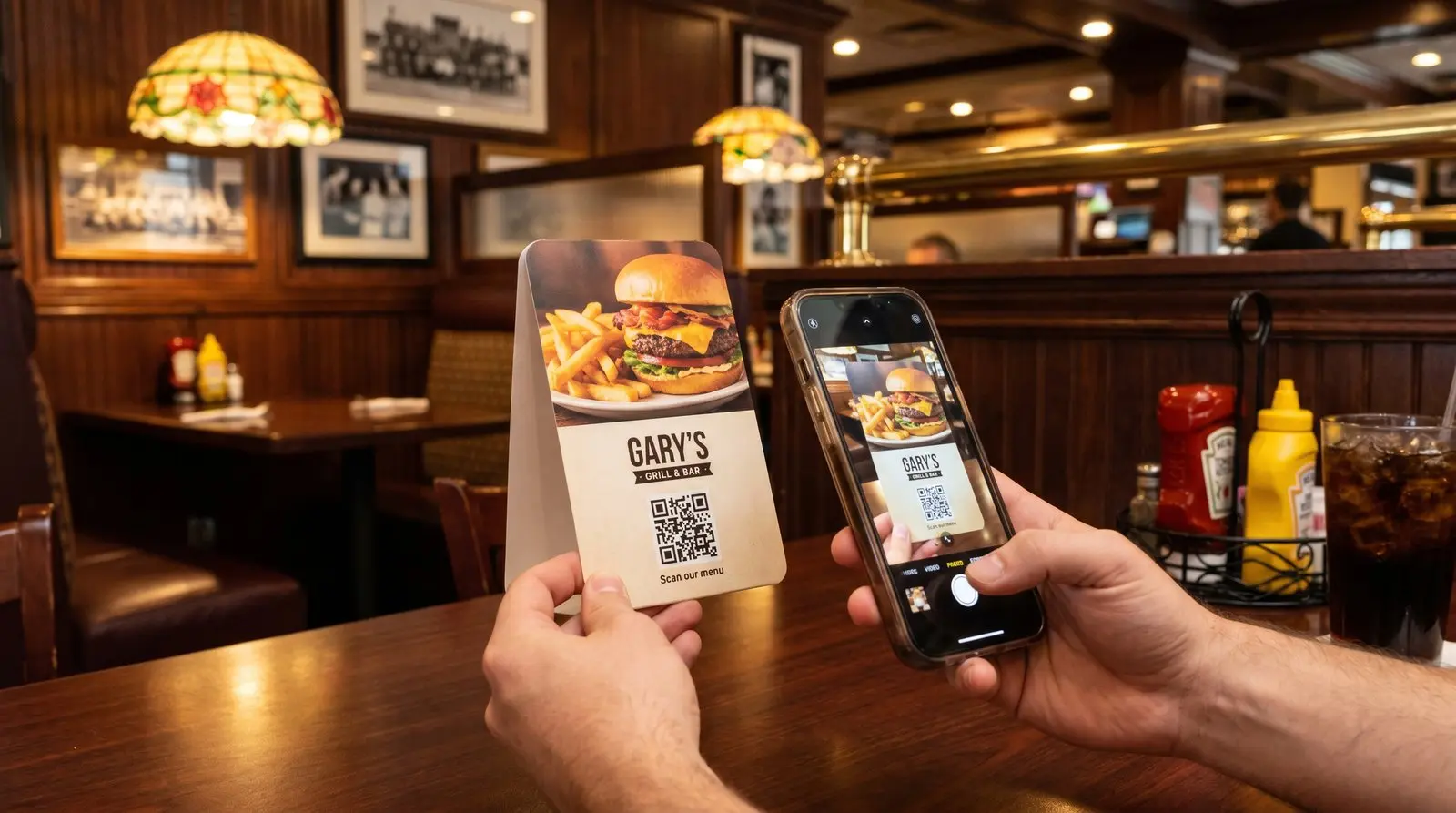
Give customers a quick way back to your menu.
ON THIS PAGE
A guest settles at the table and wants to check the menu while their friend looks through the specials. A QR code gives each a copy on their phone. If you later move the menu to a new service, an editable destination lets you keep the table tents.
What is the best QR code for a restaurant menu?
The right menu QR code is a dynamic QR code you buy once and can repoint anytime. When the menu page moves, update its saved address, and every table tent, window decal, and to-go bag keeps working. One purchased QR code can go on every table tent. Use separate QR codes when you want to compare scans from the tables, window, takeout bags and review cards.
A server is taking an order while another table wants to browse the specials. A menu QR code gives those guests a way to look immediately. Keep the page readable on a phone and the menu available in print for anyone who prefers it.
Static or dynamic: which QR code a menu actually needs
If you keep the menu at one stable page address, you can change dishes and prices there while using a free static QR code. Dynamic routing also lets that printed QR code follow service hours automatically, while its count records scans from the placement. It keeps you in control if you move to another ordering service.
A static QR code contains a fixed address. You can keep updating the menu at that address, or redirect it if you control the website. A dynamic QR code lets you change the destination from your dashboard when the menu moves to another service, without replacing the printed QR code.
| Static QR code | Dynamic QR code (Graklink) | |
|---|---|---|
| Cost | Free | Paid once |
| Change the destination after printing | No | Yes, anytime |
| Move to a new menu address | Maintain the old address or replace the QR artwork | Edit the saved destination |
| Expires or needs a subscription | No / No | No / No |
| Best for | A menu address you can maintain | Flexibility to move pages or providers |
Buying dynamic once adds that flexibility without a recurring QR subscription. It also gives you scan counts independent of the menu platform.
Where your menu QR code should point
Because the QR code is dynamic, one printed square can point almost anywhere, and you can move it whenever service calls for it. The best destinations for a restaurant:
- Your live menu page or a hosted PDF. The everyday default.
- Online ordering. Toast, Square, ChowNow, or whatever you use, so a scan turns into a takeout order.
- Tonight’s specials or a seasonal menu. Point at the regular menu Monday through Thursday, swap to the prix fixe on Valentine’s Day, swap back Sunday.
- Happy-hour vs dinner. Schedule the same QR code by day and time so it opens the menu being served now.
- A Google review link, after the plates are cleared. You’ve made their visit a good one. A review QR code on the check presenter makes the next step easy too: open the review page and share their experience, without typing an address or searching for the right restaurant.
- Reservations, the waitlist, a wine list, or an allergen guide. Anything a guest reaches for.
The print stays put. Where it goes is yours to change from a phone in the kitchen, as often as you like.
For scheduled menus, choose the restaurant’s time zone and keep the regular menu as the default. Add lunch, happy-hour or dinner windows only where the printed caption still makes sense for every destination. Graklink evaluates the schedule on each scan, so a takeout bag scanned at 7 pm can open the dinner menu. If windows overlap, the rule listed first takes precedence.
On an evening when nobody wants to cook, your take-home QR magnet puts the familiar menu right there on the fridge. You’ve made ordering a favorite meal one less thing to work out. Link it to the current menu or ordering page and use a separate QR code if you want to compare take-home scans with dining-room activity. Sticker Mule and VistaPrint offer custom magnets. Compare the same size, quantity, proof and delivered price, then test a sample on a fridge before ordering a batch. Your ordering system records completed orders.
Recommended setup
Choose the first placement around the question guests ask most often.
- Start with one QR code, pointed at your menu. It is the simplest thing that works, and for most rooms it is all you need.
- Give each placement a name you will recognize. “Dining room menu” and “Takeout bag” make the counts easier to compare.
Our take: one QR code on the menu today, more QR codes and analytics later if the data would actually change a decision.
Comparing restaurant QR code tools
The best QR menu tool depends on whether you want a QR code or a whole ordering platform. Four things decide it, and they are more specific than the usual feature checklist.
- Can you update the menu? Any QR code can open a page whose content you maintain. A dynamic QR code also lets you change the destination address when a menu or ordering service moves.
- Does the QR code die if you stop paying? This is the one that burns restaurants. A QR code on a laminated tent circulates for years, and if it stops redirecting the day a subscription lapses, a diner ends up pointing a phone at a dead menu.
- What does it cost when you need several QR codes? Most rooms want more than one: dine-in, takeout, the window, maybe a review link on the check. What matters is the price for the whole set over a few years, not the headline for a single QR code.
- Is it locked to a restaurant platform, or flexible? Some tools are a full ordering stack you commit to. Others are just a QR code you point wherever you like (your site, a hosted PDF, your Toast or Square link). Flexibility is cheaper and easy to leave. A platform does more but owns more.
| Tool | Menu QR code price | Model | If you stop paying | Best for |
|---|---|---|---|---|
| Graklink | Paid once | One-time | Nothing; the QR code keeps working | A durable menu QR code you own |
| QR Tiger | $7/month (Regular, 12 QR codes) | Subscription | Dynamic QR codes stop working (their FAQ) | Larger multi-location campaigns |
| MENU TIGER | About $17/month | Subscription | Terms say software access is disabled and the account deactivated | A full in-house ordering system |
| Bitly | Free: 2 QR/mo; Core: $120/year, 5 QR/mo | Subscription | Ordinary bit.ly QR codes keep redirecting; paid features change | A link platform that also does QR |
| QR Code Monkey | Free (static only) | Free | Not applicable | A menu page address you maintain |
Prices and plan conditions checked October 22, 2026 (USD). Monthly and annual billing are distinguished below. The main differences follow.
QR Tiger. A capable campaign tool if you run QR codes at scale across locations. Regular is $7 a month for 12 dynamic QR codes. Advanced is $192 a year for 200, and Premium is $444 a year for 600. The free tier gives you 3 dynamic QR codes with 500 scans each; paid plans have unlimited scans while active. The catch for a restaurant is durability: QR Tiger’s own FAQ says a dynamic QR code stops working when the plan expires, so a lapsed subscription means a dead menu on tents you already printed.
MENU TIGER (owned by QR Tiger). The most restaurant-specific option here, and the fairest reason to pay monthly. It is a full ordering platform, with a digital menu, table-side ordering, and payments, rather than a QR code that points at a link. There is a free tier (capped at 75 orders a month) and a Regular plan at $17 a month with 500 orders a month. Two honest trade-offs: you are committing to their platform, and its terms say cancellation immediately disables software access and deactivates the account.
Bitly. Free includes two new QR codes per month. Core costs $120 annually and includes five new QR codes per month plus paid editing and reporting features. Ordinary bit.ly QR codes keep redirecting after a downgrade; custom domains have separate conditions. You can still update the contents of a page you control even when destination editing is unavailable.
QR Code Monkey. Its free static designer can open a page address you maintain. You can update that page’s contents without changing the QR code. If the destination address changes, you need control of the old address or a new printed QR code. Its Statistics and Editability option leads to a separate paid service. See static versus dynamic QR codes.
For the broader, non-restaurant comparison, see the dynamic QR code generator roundup.
Do you need MENU TIGER, or just a QR code?
You need MENU TIGER (or a platform like it) only if you want the ordering system, not just the menu. If a guest should scan, browse a live menu, order, and pay at the table without flagging down a server, a platform earns its monthly fee. If a guest should scan and simply see your menu (a page on your site, a hosted PDF, your existing Toast or Square link), then all you need is a QR code that points there, and a one-time QR code is far cheaper and not tied to anyone’s stack. Most independents want the second thing. Buy the platform when you actually want the platform, not when you only need a working menu QR code.
A recurring service is useful when it supplies something you will use: ordering, payment processing, team access or deeper reporting.
Does my menu QR code need a subscription to keep working?
No subscription required. Purchased Graklink QR codes keep redirecting, with destination editing and basic counts. QR Tiger’s FAQ says its dynamic QR codes stop when the plan expires. Bitly’s ordinary bit.ly QR codes keep redirecting after a downgrade, while plan features change.
Check the specific service and plan before printing. If your menu or booking page belongs to a separate platform, its continued availability matters too.
Make sure it scans before you print a hundred
A menu QR code that has not been scanned is a guess, and a bad QR code usually looks perfectly fine sitting on the table. Before you send fifty table tents to the printer, run down this list:
- Strong contrast. Dark QR code on a light background. If you brand it with color, keep the QR code much darker than what sits behind it.
- A clear quiet zone. Leave an empty margin on all four sides. Do not crowd it with a logo or a price.
- A small logo, if any. A modest mark in the center is fine. A big one eats the data the QR code needs.
- At least an inch across, and square. Larger for a window read from a distance. Never stretch it to fit the layout.
- Then scan it. On more than one phone, before it goes to print.
The full breakdown of why QR codes fail, with pictures, is in our guide: why QR codes don’t scan. Size is the one people get wrong most often on a menu, and how big a QR code should be for print has the actual measurements. If you are still deciding between a table tent, a sticker on the table, and a poster by the door, we compared the surfaces.

Common questions
What should a restaurant QR code point at?
Your menu, wherever it lives: a page on your site, a hosted PDF, your online-ordering link, or tonight's specials. Because the QR code is dynamic, you change the destination anytime from your phone and every printed QR code updates instantly.
Do I have to pay monthly to keep my menu QR code working?
No. A purchased Graklink QR code is bought once, including destination editing, unlimited scans and basic counts. Your menu or ordering service may have its own charges.
What happens to my printed table tents when I change the menu?
If the menu stays at the same page address, update it there. If it moves to a new address, update your dynamic QR code destination and every copy opens the new menu.
Can I use different QR codes for dine-in, takeout, and the window?
Yes. Separate QR codes let each surface point somewhere different and tell you which one gets scanned.
Will it work if the restaurant Wi-Fi is spotty?
The phone needs a working internet connection to open a web menu. Test mobile data as well as Wi-Fi in the dining area, and keep a printed menu available.
Do QR code menus expire?
A purchased Graklink menu QR code has no billing expiry or scan allowance. Destination editing and basic counts stay included. Maintain the menu page and the printed QR code too.
Does my restaurant's QR menu need a subscription to keep working?
With Graklink, no subscription required. A purchased Graklink QR code does not depend on one; refunds, deletion, safety actions, legal restrictions and service availability are separate under our Terms. Subscription tools behave differently: QR Tiger's own FAQ says a dynamic QR code stops working when the plan expires, and MENU TIGER's terms say cancellation immediately disables software access and deactivates the account.
Do I need MENU TIGER, or just a QR code?
You need MENU TIGER (or a platform like it) only if you want the ordering system, where a guest scans, browses, orders, and pays at the table. If a guest just needs to see your menu, a QR code that points at your existing menu page or ordering link is far cheaper and not locked to anyone's platform.
Are free QR menu QR codes actually free?
Free static QR codes work for a menu page you maintain. Free dynamic plans also exist, with different editing, scan and reporting allowances. Check those limits and any trial expiry before printing.
Sources and verification dates
Source links, check dates and available archived copies are listed below.
- DENSO WAVE: QR code margins
Checked September 15, 2026.
A clear margin four modules wide is required on each side.
Live page; no archived copy supplied.
- QR Tiger pricing and FAQ
Checked October 22, 2026. Archived copy
Regular $7/month for 12 dynamic QR codes, Advanced $16/month billed annually for 200 ($192/year), Premium $37/month billed annually for 600 ($444/year); free tier gives 3 dynamic QR codes with 500 scans each; paid plans have unlimited scans; the FAQ (qrcode-tiger.com/faq) says verbatim 'If your plan expires, it will stop working.'
The linked archive is an earlier snapshot; the live page was checked again on October 22, 2026.
- MENU TIGER pricing and terms
Checked October 22, 2026. Archived copy
part of QR TIGER PTE LTD (per their Terms). Freemium tier capped at 75 orders/month; Regular plan $17/month with 500 orders/month. Service-Specific Terms: 'Upon cancellation, your access to the software will be immediately disabled, and your account will be deactivated' (menutiger.com/specific-service-terms).
- Bitly pricing
Checked October 22, 2026. Archived copy
Free includes two new QR codes per month. Core is $120 annually with five per month; scans are unlimited. Other capabilities vary by plan.
Live page; no archived copy supplied.
- QR Code Monkey
Checked October 22, 2026. Archived copy
100% free, static only, no dynamic codes; funnels dynamic needs to the QR Code Generator (Bitly family).
- QR Tiger: plan expiry and scan limits
Checked October 22, 2026.
Free dynamic QR codes have 500 scans each; paid plans have unlimited scans while active. Dynamic QR codes stop when the paid plan expires.
Live vendor FAQ.
- QR Tiger: billing periods
Checked October 22, 2026.
Regular is quoted at $7 monthly or $65 yearly; Advanced and Premium are $16 and $37 per month billed annually.
The pricing page initially displays monthly Regular pricing; confirm the selected billing option before purchase.
- MENU TIGER: cancellation terms
Checked October 22, 2026.
Cancellation immediately disables software access and deactivates the account. The terms identify QR TIGER PTE. LTD. as the provider.
A platform-access statement; no live cancellation was performed.
- Bitly: downgrade behavior
Checked October 22, 2026.
Ordinary bit.ly links continue working after downgrade. Custom-domain DNS, registration and SSL conditions remain separate.
The HTML page returned 403; its current article was confirmed through Bitly’s public help-center JSON API on October 22, 2026.
- Graklink terms
Checked October 20, 2026.
Purchased products, subscription cancellation, trial conditions and service continuity.
Graklink’s published product information.
Make your QR code in a minute
$7.99 once. Unlimited scans. 30-day money-back guarantee.